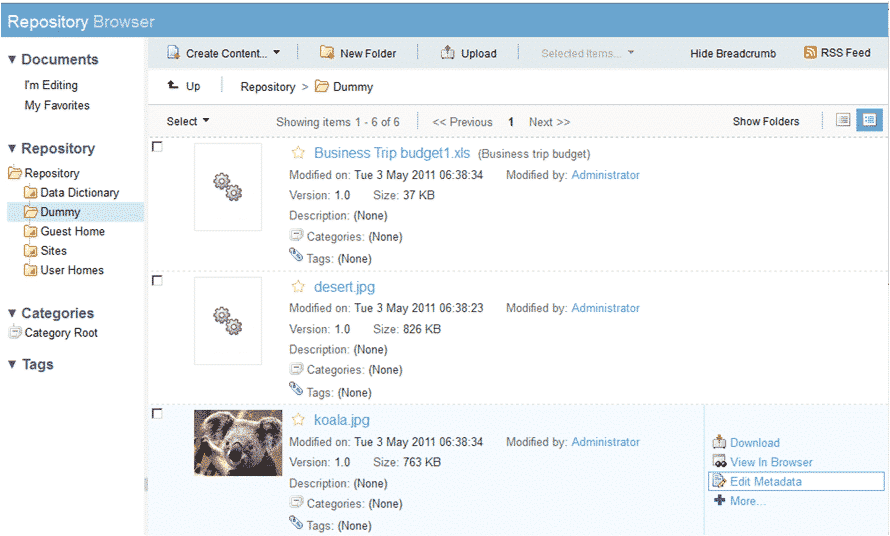
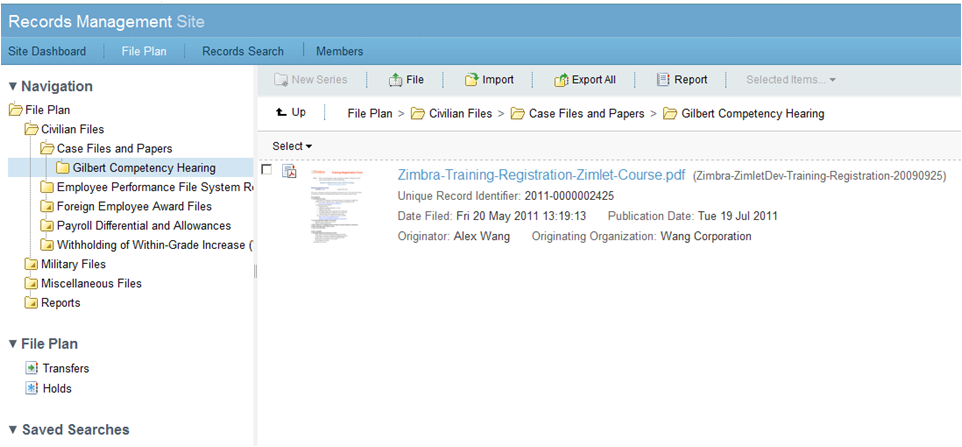
One of the biggest obstacles to utilizing computer-based systems effectively relates to the fact that many applications have user interfaces written in foreign languages. Therefore, it is essential to localize Alfresco to the Indonesian language so that the system can become easier to use and to understand by its users.
A Language Pack is a plug-in that includes the translations of the text from the Alfresco user interface into another language. Upon installing and configuring a language-pack appropriately, users will be able to choose Indonesian as their preferred language from either their account settings page or the system’s default setting made by the Administrator. The language-pack plug-in technically functions by replacing the .properties file containing translation properties, which serve as the text references in all Alfresco modules.
How is Language Localization Important for Alfresco System Implementation?
Many companies in Indonesia do not recognize the significance of localizing an interface during selection/implementation of a system. Experience in the form of results of enterprise system implementation projects indicates that lack of understanding due to language barriers was a major cause of poor end-user adoption of new systems; particularly in developing countries. Localization of the language is significant in order to:
1. Significantly Increase User Adoption
When administrative employees, operation managers or law departments deal with the system in their native language, the learning curve is much shorter. As a result, there is less need for each employee to translate every button label or message in the system. Consequently, they will spend less time focusing on their jobs and more time doing what they were hired to do.
2. Reduce Operational Errors
Understanding English technical terms — such as “Check-Out,” “Delete” vs. “Archive” — may provide the basis for fatal operational mistakes — i.e., accidentally deleting critical business documentation. Using an Indonesian user interface minimizes this possibility.
3. Comply With Government Regulations
There are numerous government regulations and standards in Indonesia regarding corporate document archiving — most notably using Indonesian terminology. A localized Alfresco interface will simplify compliance and training new employees.
4. Shorten Time Required For User Training
Utilization costs and time associated with educating employees on how to utilize a new system are greatly minimized if both the training material and the user interface of the new system are familiar to the employees. This has a positive effect on total implementation cost savings.
Translated Alfresco Modules
Here are some examples of translated Alfresco modules and features:
- Alfresco Share (UI): menu navigation, button names, page titles, confirmation messages, error messages, forms, searches
- Document Management: actions on documents (e.g. view, download, edit, delete, share), document status, version identifiers, comments
- Workflows & Approvals: approval phase name, notifications about workflows, task information, instructions for reviewers
Installation Process for Language Packs
The installation process of the language packs in Alfresco can be accomplished in various ways depending upon the version of Alfresco currently installed and/or the type of deployment architecture used. Below is a general guide to accomplish this:
Step 1: Obtain a Language Pack File
Language pack files are available in two formats; either as an Alfresco Module Package (.amp) or as a collection of property files (.properties). Please contact the Softbless team to acquire a language pack file compatible with your current version of Alfresco.
Step 2: Back-up the Entire System Before Making Any Modifications
Always create a complete back-up copy of the entire repository directory, index and database before making any changes to an Alfresco installation running on a production server. Creating these back-ups prior to modifying your production environment will protect you against potential failure processes resulting in data loss.
Step 3: Place the Translated Property Files In The Correct Directory Location
Place copies of the Indonesian Language Property Files into the corresponding directory locations within the Alfresco Share installation location. These files will replace or supplement the original default language property files.
Step 4: Set The Default Language
Modify the share-config-custom.xml configuration file to apply Indonesian language as default language.
Step 5: Restart the Alfresco Service
After you have all your files set up, you need to restart the Alfresco Share service so that the new language settings go into effect.
Step 6: Verify
Login to the Alfresco interface to check if labels and text are displayed in Indonesian. Also test other important functions like uploading documents, approving workflows, and searching for data to be sure there are no non-translated or problematic sections of the system.
Please note that the steps above are just general guidelines to installing a language pack for Alfresco, and can greatly vary based upon the type of edition (Community vs. Enterprise) of Alfresco you are using, how you deployed it (on premises, via docker), and whether or not you made any customizations prior to installing the language pack. Therefore, please contact Softbless to receive assistance from one of our experts who can guide you through this process in a manner that fits your specific environment.
Softbless was part of the initial development of the Indonesian Language Pack in early versions of Alfresco Community Edition.
Softbless' Contributions to the use of Alfresco in Indonesia
Softbless is actively contributing to the growth of the Alfresco Ecosystem within Indonesia. The ways that we contribute to the ecosystem include: Developing the Indonesian Language Pack; Maintaining the User Community for Alfresco users in Indonesia; Providing Implementation Services for customers wanting to deploy Alfresco; Customization Services for customers needing to customize Alfresco; Training Services for customers wanting to learn about using Alfresco; Technical Support Services for customers requiring troubleshooting assistance with their Alfresco deployments.
As a result of having implemented Alfresco in many different types of organizations across several countries (i.e., banking, manufacturing, oil & gas/mining, and government), Softbless realizes the potential problems businesses could face when trying to adopt a Document Management Systems (DMS) Platform like Alfresco.
Ready to Implement Alfresco with an Indonesian user interface?
Talk to Softbless' Team of Experts regarding your company's DMS requirements. Our team will help assess your company's needs, install and configure the Indonesian Language Pack for you, and provide complete implementation services to meet the unique business needs of your organization.