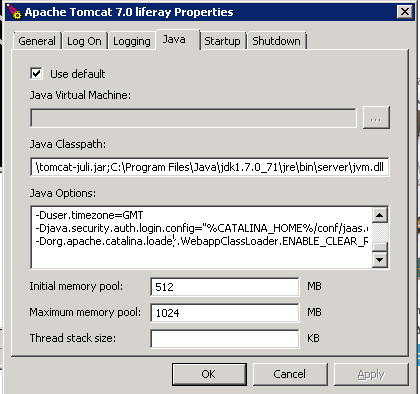
Install Liferay as Service in windows
Install Liferay as Service in windows: copy the service.bat file, tomcat7.exe, tomcat7w.exe to {tomcat_dir} / bin liferay Run cmd and move to directory {tomcat_dir} / bin liferay the following script: service install Liferay tomcat5w //ES//Liferay in the following java gui : on the java class path : C:\Program Files\Java\jdk1.7.0_71\jre\bin\server\jvm.dll on this additional java option (adjust its value according to your server specification) -XX:MaxPermSize=512m -Dfile.encoding=UTF8 -Duser.timezone=GMT -Djava.security.auth.login.config="%CATALINA_HOME%/conf/jaas.config" -Dorg.apache.catalina.loader.WebappClassLoader.ENABLE_CLEAR_REFERENCES=false note: for service.bat...