Author - softbless


OpenOffice Integration Liferay

Installing OpenOffice in your Operating System: If your OS is XP / Windows7 follow these steps: 1. Install OpenOffice.org v2.0.3 or any other version. 2. Navigate to C: \ Program Files \ OpenOffice.org \ Programs folder in the command prompt . 3. run the following command: soffice-headless-accept = "socket, host = 127.0.0.1, port = 8100, URP,"-nofirststartwizard. 4. Then Restart If your Linux Operating System follow these steps: 1. Install Package v2.0.3 OpenOffice or any other...
New Features in Alfresco Ver.4.2a

In the second week of October 2012, Alfresco launched the new Alfresco Community Edition, Alfresco 4.2a. Some new features available in Alfresco 4.2a, which are: 1. Multi-File zip file processing and quick sharing This feature will help the user use “share” command and sharing their file which are being preview. In...

Liferay MarketPlace (En)

In August 2012, Liferay have officially launched their Liferay Marketplace to this world. Where, The Liferay Marketplace is an application store which designed specifically for Liferay users. A Liferay Marketplace initial is announced in May 2012 at the East Coast Symposium. Liferay, Inc. is a provider of...

Alfresco in Cloud

Installing and Configuring Alfresco Desktop Sync

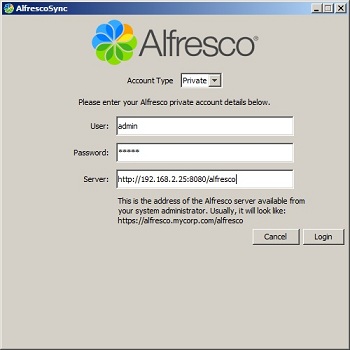
Server: Linux Centos x64  Client: Windows 7  Application: Alfresco Community 4.0e  ---------------------------------------------------------- 1. Download Alfresco Sync desktop applications  2. Install Alfresco Sync desktop application  3. After Alfresco Sync desktop application installed, there will be AlfrescoSync icon on the desktop.  Double click the icon AlfrescoSync, it will appear like the picture below:  4. Create New Account. Adjust with existing...

ACC-ALf-Mobile- Alfresco-Android

Alfresco Smartphone – Android

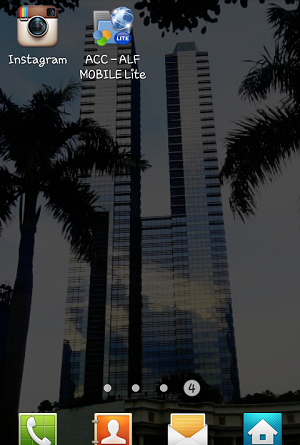
OS Android : Gingerbread  ---------------------------------------------------------- Install applications ACC - ALF Mobile The first time you open the application ACC - ALF Mobile then you will see Add content repository.  Click Yes. Select the type of server, select the Alfresco server by clicking the button Alfresco Server Details: Credentials Hostname: 192.168.1.15 User: togum Password: ****** Advanced Configuration HTTPS: not checked Port: 80 URL: /alfresco/service/cmis Repository Repository Name: Type anything - it's a personnal label/id for...

20 June 2025   Enterprise Portal, Liferay